Architecting a Web-based 3D Game Engine
Deep dive into building a high-performance WebGL game engine using Three.js and React. How we optimized 3D rendering, integrated WebXR, and built a scalable visual scripting system for 1M+ users.
The Engineering Challenge
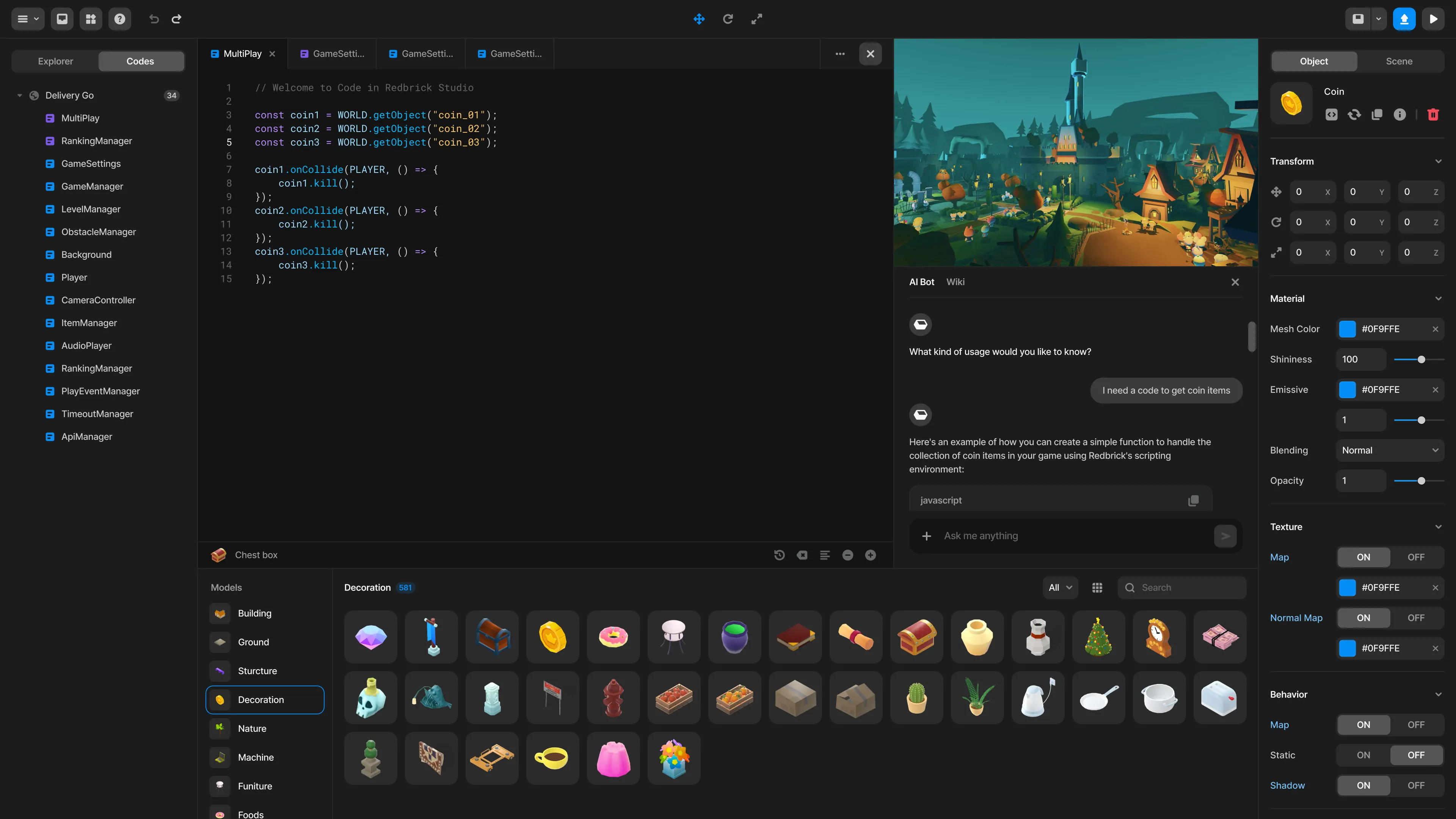
Building a 3D game engine that runs entirely in the browser is a battle against performance constraints. Unlike native engines (Unity/Unreal), we don’t have direct hardware access. We have to manage memory, garbage collection, and the DOM—all while maintaining a steady 60 FPS.
At Redbrick, I led the frontend engineering efforts to modernize our 3D engine, focusing on rendering optimization, scalable UI architecture, and cross-platform compatibility.

Core Architecture
The engine is built on a hybrid stack:
- Core Renderer: Three.js with custom WebGL shaders for performance-critical visual effects.
- State Management: Redux + RxJS for handling complex game states and event streams.
- UI Layer: React for the editor interface, decoupled from the render loop to prevent UI updates from causing frame drops.
🚀 Performance Optimization
One of our biggest hurdles was draw calls. User-generated content is unoptimized by nature. To handle scenes with thousands of objects, I implemented:
- Instanced Mesh Rendering: Automatically grouping identical geometries (like trees or coins) into a single draw call, reducing GPU overhead by 90%.
- Level of Detail (LOD) Systems: Dynamically swapping high-poly models for low-poly versions based on camera distance.
- Texture Atlasing: Merging multiple textures into a single atlas at runtime to minimize context switching.
Feature Deep Dives
🥽 WebXR Integration
We wanted to bridge the gap between web and VR. I integrated the WebXR Device API, allowing any game created on our platform to be instantly playable on Meta Quest and other VR headsets without a separate build step.
- Implemented a custom Input Manager that abstracts controller inputs (Touch, Mouse, VR Controllers) into a unified event system.
- Built a VR Camera Rig that handles teleportation and room-scale tracking automatically.
🧩 Visual Scripting System
To democratize game creation, we built a block-based coding environment (Blockly) that compiles down to JavaScript.
- Challenge: Running user code safely.
- Solution: We implemented a sandboxed execution environment using Web Workers, ensuring that an infinite loop in a user’s script doesn’t freeze the main UI thread.

Unity WebGL Bridge
We needed to support professional developers using Unity. I built a two-way communication bridge between the Unity WebGL build and our React frontend.
// Example: React <-> Unity Bridge
class UnityBridge {
  sendMessage(method: string, value: any) {
    this.unityInstance.SendMessage('GameManager', method, value);
  }

  // Listening for events from Unity
  onGameEvent(event: GameEvent) {
    store.dispatch(updateGameState(event));
  }
}
This allowed us to wrap Unity games with our platform’s UI, authentication, and monetization systems seamlessly.
Impact & Scale
- 100,000+ Games created and played.
- 50% Reduction in load times through asset bundling and lazy loading.
- Zero build steps required for users to publish cross-platform (Mobile, Desktop, VR).
This project pushed the boundaries of what’s possible in a browser, proving that “Web 3.0” isn’t just a buzzword—it’s a viable platform for high-fidelity interactive experiences.
-
Publications
-
Building an AI Copilot with RAG & Vector Search
-
Architecting a Web-based 3D Game Engine
-
A Fitts Law Evaluation of Two Type Face Tracking Inputs on Electronic Devices
-
Computational Design: Transforming Palm Lines into Art
Related:
Written by

Temirlan Dzhoroev
Full-stack AI Engineer
Frontend 3D Developer